DA Drive Analyzer license for ASUSTOR NAS
AI-powered drive health monitoring for your NAS. Pick a plan sized to your bay count, checkout securely, and install from App Central.
Choose your license
Compare ASUSTOR NAS plans
Trial - 1 week free, all features. Paid plans from 2-bay to 32-bay - same AI monitoring, sized to your NAS.
| Feature | ||||||
|---|---|---|---|---|---|---|
| Drive coverage | All drives | Up to 2-bay | Up to 4-bay | Up to 8-bay | Up to 16-bay | Up to 32-bay |
| Cloud monitoring | ||||||
| AI failure predictions | ||||||
| Daily health monitoring | ||||||
| AI Radar Chart | ||||||
| Threshold alerts | ||||||
| Email alerts & reports | ||||||
| DA Portal cloud dashboard | ||||||
| SATA, SAS & NVMe support | ||||||
| Customer support |
All paid plans are billed annually. Feature set is identical; only supported bay capacity differs. A higher-tier license can be used on a smaller NAS for example, an 8-bay license on a 4-bay unit.
14-day refund
Paid licenses

ASUSTOR NAS
Install via App Central on ADM
NAS Bay Based Plans
Match license to your NAS size
No file access
Drive health metrics only
Installation & Activation
After checkout, install DA Drive Analyzer from App Central on your ASUSTOR NAS and activate your license. Monitoring runs automatically in the background - no manual scans required.
-
1
Purchase or start a trial
Choose a bay-based plan that fits your NAS, or begin with the free 1-week DA NAS Trial.
-
2
Open App Central on your ASUSTOR NAS
Search for DA Drive Analyzer and install the app. You can also find it on the ASUSTOR App Center.
-
3
Activate your license
Enter your license key in the app after installation. Your key is on the confirmation page, in your email, and under My Account → Orders.
-
4
Monitoring starts automatically
DA Drive Analyzer runs in the background on your NAS and begins AI-based health monitoring for all supported drives.
Installation and activation guides are available here.
After purchase
Important notes
Paid license auto-renewal
Paid ASUSTOR NAS licenses renew automatically each year so monitoring on your ASUSTOR stays active without interruption.
✓Renewal runs at the end of your subscription period.
✓Cancel anytime before the renewal date to stop the next charge.
Refunds
-
Go to ulink-da.com and log in.
-
Open My Account → Orders.
-
Select your order and choose Cancel & Refund.
-
Refund is processed for eligible paid licenses within the 14-day window.
Trust & data
Security & privacy
DA Drive Analyzer analyzes drive health never user files. No documents, photos, or user data are accessed or transmitted. Only anonymized drive health metrics such as SMART attributes, temperature, and performance signals are analyzed.
-
No file access
Contents stay yours
-
Encrypted
In transit
-
GDPR
Aligned practices
Learn how it works
Explore DA for ASUSTOR NAS
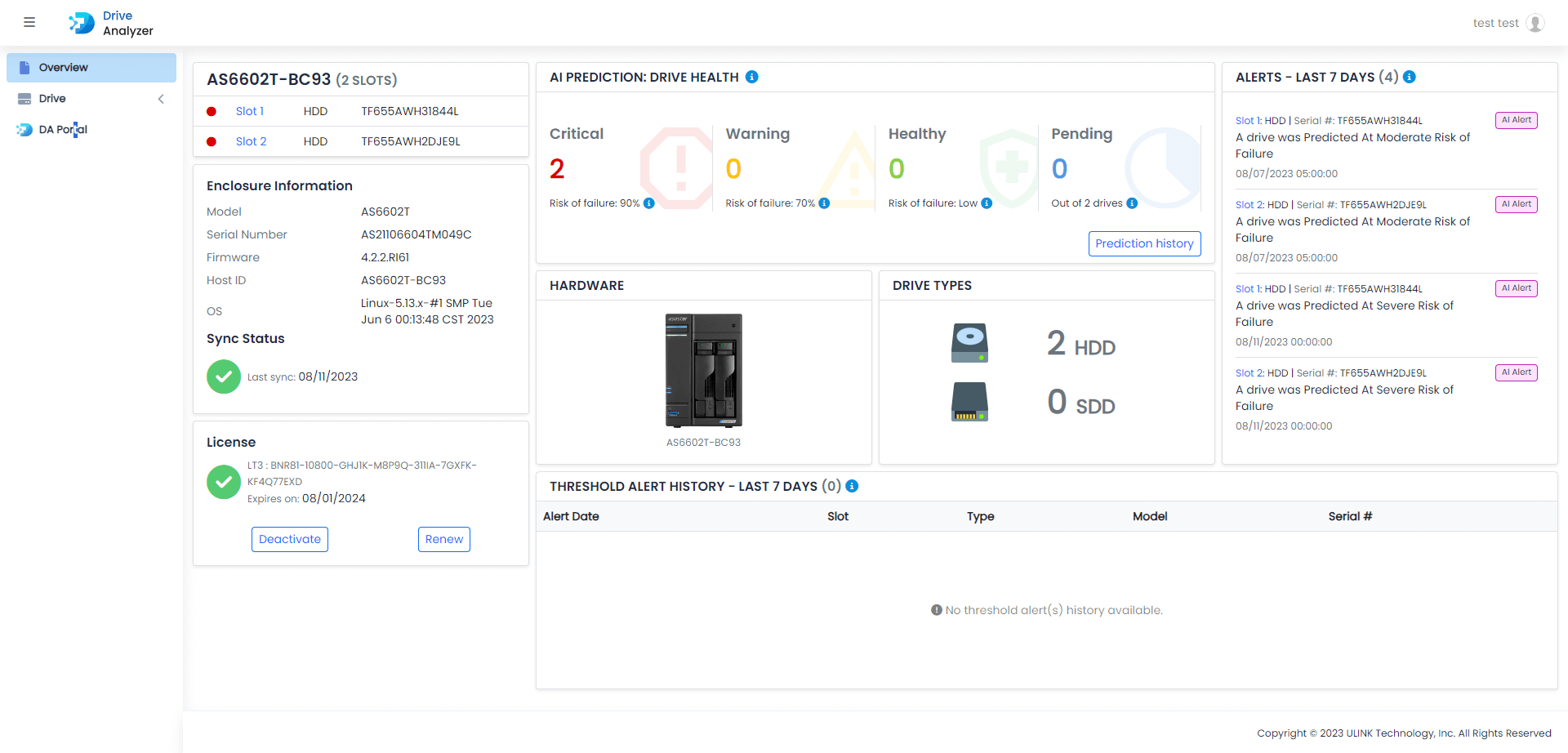
See how AI drive monitoring works on ASUSTOR, browse app screenshots, and learn about supported drives before you choose a license.
- AI predictions
- SMART monitoring
- Health alerts
- App Central install
Also available on